
STEP 01VIDEO GUIDE
Integration Center
Connect AI-BDR with the sales tools your team already uses and understand the role of the Integration Center.
Open on YouTube ↗AI-BDR practical video series
Follow ten short, practical walkthroughs from initial integrations and data import to live outreach, account monitoring, AI-assisted communication and daily action management.
Step-by-step tutorials
Videos load only when you press play. This keeps the page fast and avoids sending video requests before you choose to watch.
Connect AI-BDR with the sales tools your team already uses and understand the role of the Integration Center.
Open on YouTube ↗
Connect Gmail as the second essential setup path for a complete, live AI-BDR workflow.
Open on YouTube ↗
See the different ways to bring account and contact data into AI-BDR without rebuilding your database.
Open on YouTube ↗
Discover a target account, move it into the workflow and prepare a contextual outreach message.
Open on YouTube ↗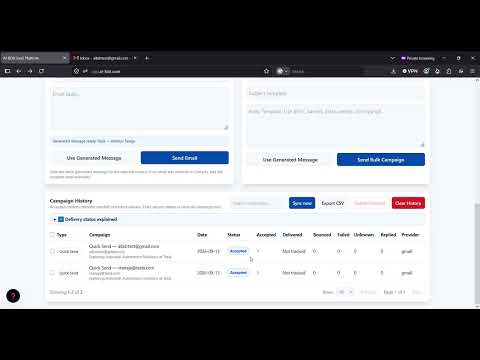
Use a live test inbox, receive a real reply and see the event appear inside My Day.
Open on YouTube ↗
Follow the beginner route, review Accounts and prepare a selected company for Account Watcher.
Open on YouTube ↗
Run a live monitoring check and see a meaningful public-source change become an actionable sales signal.
Open on YouTube ↗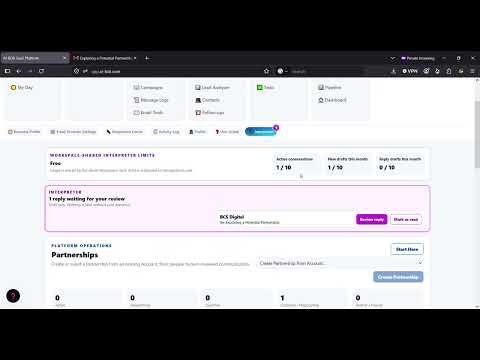
Explore the partnership workspace, AI assistance and approval-controlled client communication loop.
Open on YouTube ↗
See tasks, replies and account signals collected in Sales Day, with connected Slack notifications.
Open on YouTube ↗
Paste a received email manually and generate a context-aware reply while automatic retrieval stays inside Interpreter.
Open on YouTube ↗Open the free workspace and use these guides alongside your own AI-BDR account.